
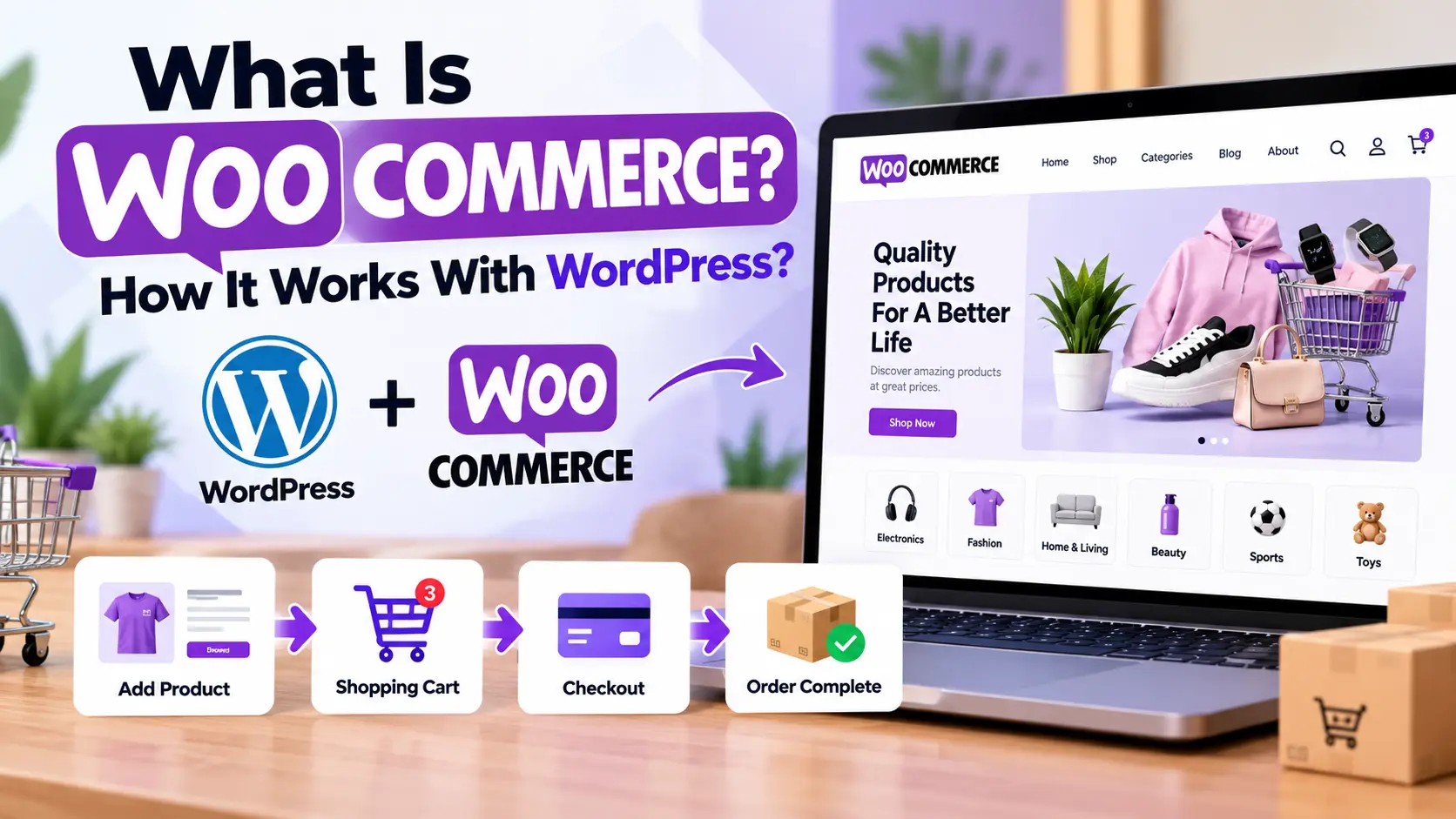
If you already have a WordPress website and want to sell online, WooCommerce is probably the first option you’ll run into. It’s also the source of some common confusion. Is it a separate website builder? A payment system? Do you need to start over with a new site?
No to all three. WooCommerce is a free, open-source WordPress plugin that adds ecommerce features to a WordPress site. WordPress runs the website and content. WooCommerce adds the commerce layer: products, cart, checkout, payments, shipping, and order management.
This guide explains how the two work together, what a WooCommerce store really costs, how it compares with Shopify, and whether it’s the right fit for your project.
What Is WooCommerce?
WooCommerce is an ecommerce plugin built for WordPress and developed by Automattic, the company behind WordPress.com and Jetpack. It launched in 2011, and Automattic acquired its original developer, WooThemes, in 2015.
Because it’s open source, you can install it on your own hosting, change how it behaves, and keep control of your store’s code and customer data. That control is the main reason people choose it, and it comes with responsibilities, covered later in this guide.
How Does WooCommerce Work With WordPress?
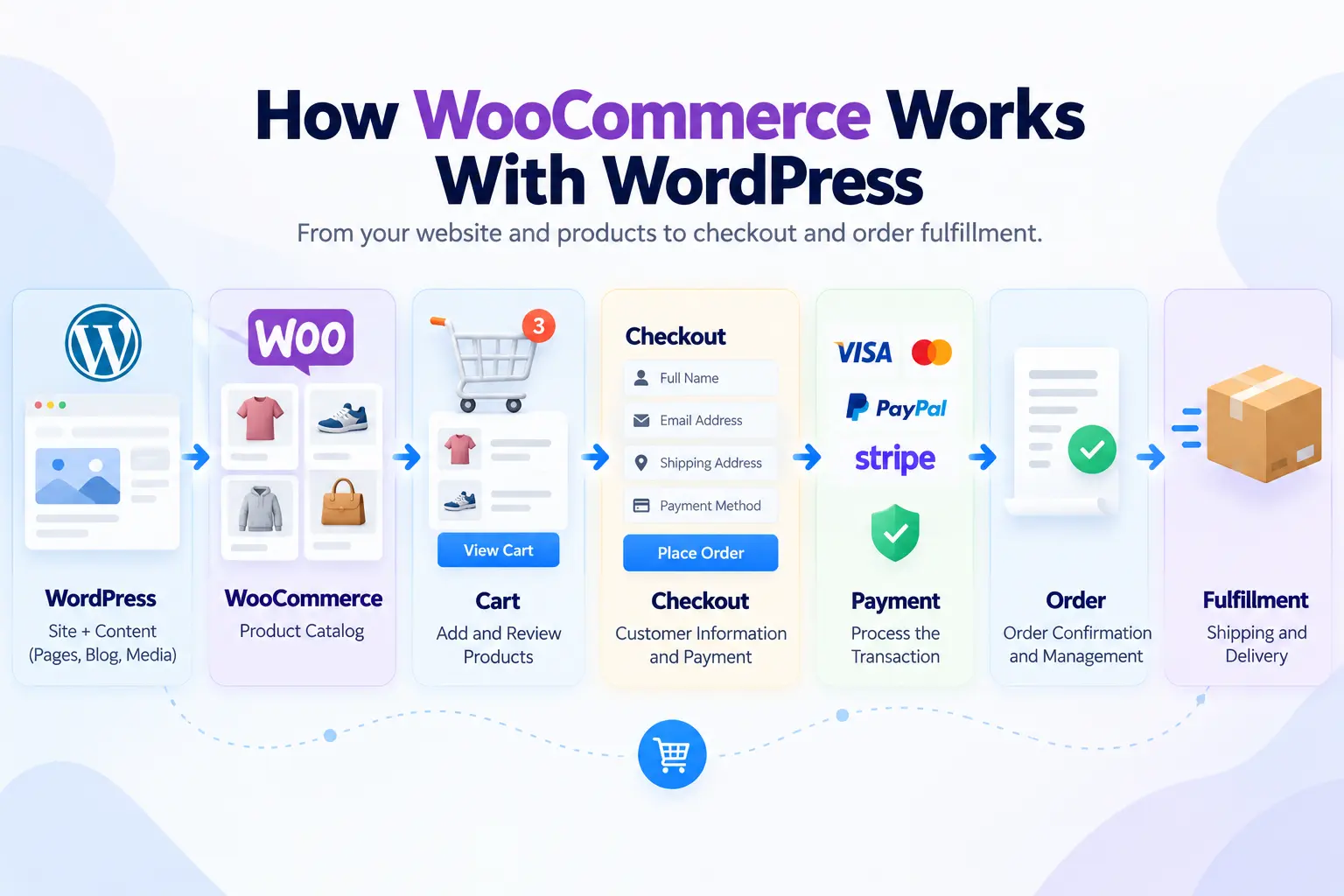
The relationship is easiest to see as a flow:
WordPress → WooCommerce → Cart → Checkout → Payment → Order
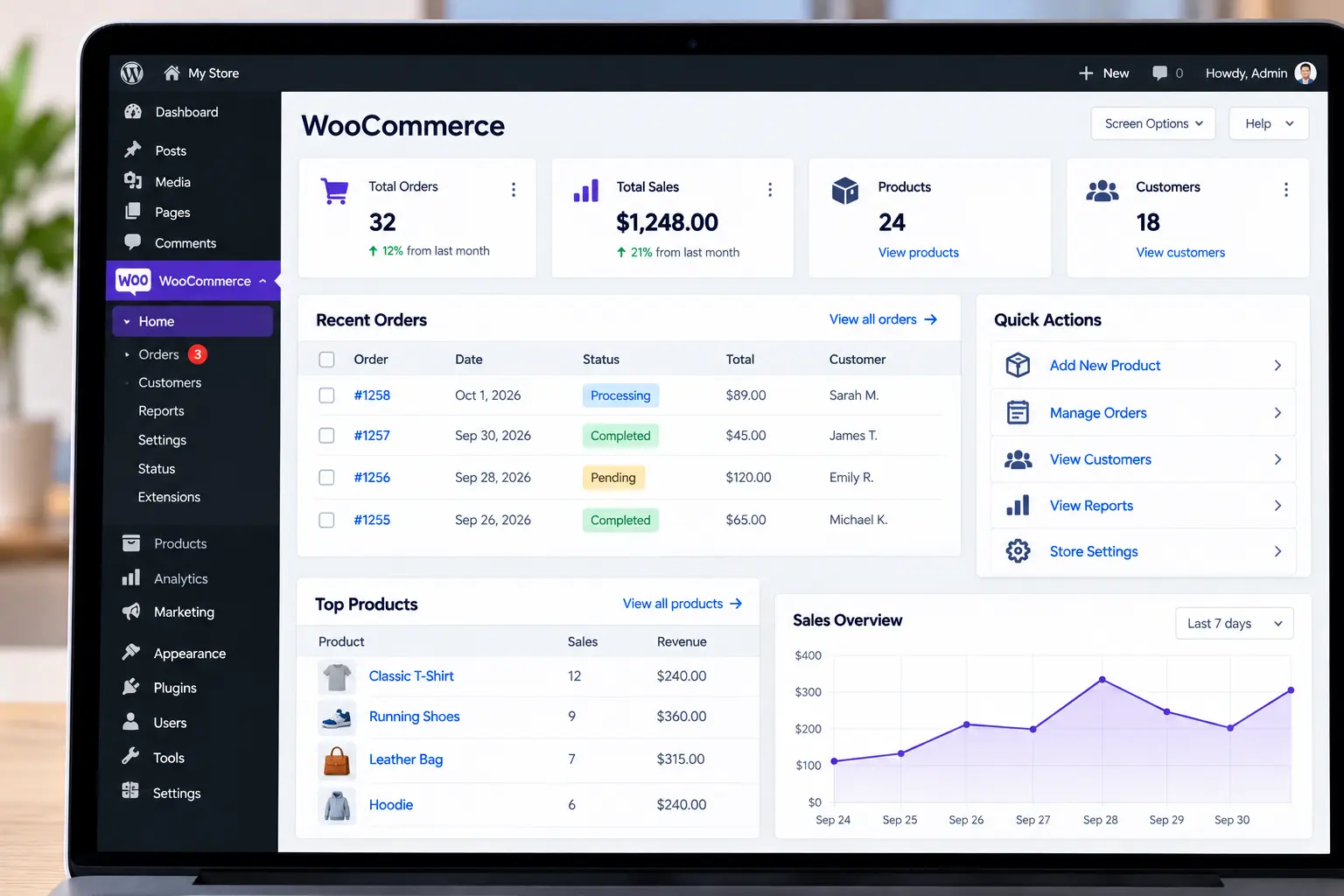
WordPress remains the foundation. You still use its pages, blog posts, media library, themes, and user system. WooCommerce plugs into that system and adds the pieces a store needs. Once it’s installed, your WordPress dashboard gains a WooCommerce section for orders, products, customers, analytics, marketing, and settings. You don’t manage the store from a separate system.
This combination of content and commerce is WooCommerce’s biggest natural advantage. You can publish a buying guide on your blog and link straight to the relevant product page, all inside one site.
What Does WooCommerce Add to WordPress?
A standard WordPress site is built for publishing. WooCommerce adds:
- Products: listings with prices, images, SKUs, inventory, categories, and variations
- Cart and checkout: the flow customers use to review items and pay
- Payments: support for gateways such as Stripe, PayPal, Square, and WooPayments (availability varies by country)
- Orders: statuses, notes, refunds, and fulfillment tracking
- Shipping and taxes: zones, rates, and tax rules
- Customer accounts: order history and saved details
- Reporting: sales and store activity data
Practical takeaway: WooCommerce doesn’t replace WordPress. If you’re comparing “WooCommerce vs. WordPress,” you’re really comparing the commerce layer with the platform underneath it. You need both.
What Can You Sell With WooCommerce?
- Physical products: clothing, furniture, food, electronics, beauty products, home goods
- Digital products: ebooks, templates, software, downloads, digital artwork
- Variable products: one “Classic Cotton T-Shirt” listing with size and color options, managed in one place instead of as dozens of separate products
- Subscriptions, memberships, and bookings: available through extensions
Core WooCommerce handles the basics. Recurring billing, bookings, and memberships generally require extensions.
How to Set Up WooCommerce in 7 Steps
- Get hosting and a domain, then install WordPress. Check that your host meets WooCommerce’s current requirements (see the hosting section below).
- Pick a WooCommerce-compatible theme. Test product pages, cart, checkout, and mobile layouts, not just the homepage.
- Install and activate WooCommerce. In your dashboard, go to Plugins → Add New, search for WooCommerce, then install and activate.
- Complete the setup wizard. Set your store location, currency, and basic preferences.
- Add products. Include accurate titles, descriptions, images, prices, inventory, and variations.
- Connect payments and configure shipping. Choose a gateway that supports your country and currency, then set shipping zones and rates.
- Place test orders. Run through the whole journey, on mobile too, before you launch.
How Much Does WooCommerce Cost?
“WooCommerce is free” is true for the plugin but misleading as a budget. You’re paying for everything around it. The figures below are rough estimates based on 2026 pricing guides. Actual prices vary by provider and change often.
| Cost | Typical situation | Rough estimate |
|---|---|---|
| WooCommerce and WordPress software | Free, open source | $0 |
| Domain | Paid, yearly | About $10–$20 per year for a .com |
| Hosting | Paid, monthly or yearly | About $50–$550 per year for entry-level plans; managed WooCommerce hosting often $25–$250 per month |
| Theme | Optional | Free (for example, Storefront) or about $50–$150 per year |
| Extensions | Free or paid | Often $29–$299 per year each |
| Payment processing | Set by your gateway | Varies by gateway and country (a common US card rate is about 2.9% + $0.30) |
| Development | Depends on customization | Quote-based |
| Maintenance | Your time, or a paid service | Varies |
WooCommerce doesn’t charge a platform transaction fee on orders. Your payment gateway does charge its own processing fees, so compare those before choosing one.
Example: Imagine a small clothing brand launching with 30 products. The plugin costs nothing, but the owner still needs a domain, hosting, a payment gateway, and probably a theme and a few extensions such as shipping or email marketing. A lean do-it-yourself launch with a free theme and a small plugin stack commonly lands somewhere between roughly $150 and $500 in the first year. A professionally maintained store with premium tools, backups, and support is more often quoted in the low thousands per year. Custom design, subscriptions, advanced shipping, or third-party integrations can push the budget higher.
WooCommerce Hosting: What Actually Matters
An online store is more demanding than a blog. Your host handles product queries, cart sessions, checkout, orders, inventory, and payment integrations, all against a database.
WooCommerce’s official server recommendations currently list WordPress 6.9 or newer, PHP 8.3 or newer, MySQL 8.0+ or MariaDB 10.6+, HTTPS support, and a WordPress memory limit of 256 MB or more. These change between releases, so check the official page before you choose a host or upgrade.
Beyond the minimums, compare plans on:
- Server resources and database limits
- Backup frequency and how easy restores are
- Caching and CDN availability
- Staging environments for testing updates
- Support quality
- How easily you can scale as orders grow
A 30-product store and a high-volume store are different workloads. Choose with your growth in mind, not just the introductory price.
WooCommerce vs. Shopify
This is usually the next question, and the answer is about how the two models differ rather than which one wins.
| WooCommerce | Shopify | |
|---|---|---|
| Model | Open-source WordPress plugin | Hosted ecommerce platform (SaaS) |
| Hosting | You choose and manage it | Included |
| Customization | Very high, with full code access | Strong, within the platform’s structure |
| Added functionality | Extensions and plugins | Apps |
| Content and SEO | WordPress’s publishing tools | Built-in blog and tools |
| Technical responsibility | Higher (updates, security, backups) | Lower |
| Cost structure | Many separate costs | Subscription, plus app and payment fees |
WooCommerce tends to suit people who want control over their code, data, and hosting, or who already run a content-driven WordPress site. Shopify tends to suit people who would rather pay for a managed environment and avoid server maintenance.
Costs differ most at the high end. Shopify’s Plus pricing page lists plans starting at $2,300 per month on a three-year term or $2,500 per month on a one-year term, and adds a 0.20% fee per transaction when you use a third-party payment processor. Lower Shopify tiers cost far less, so compare current plans against the full cost of a WooCommerce setup (hosting, extensions, and maintenance included) before deciding.
A Real Example: Landyachtz
Skateboard brand Landyachtz relaunched its ecommerce site on WooCommerce in 2024 after outgrowing Shopify Plus. In WooCommerce’s published case study, the company says its yearly platform fees fell from $45,000 to under $10,000, and it points to cross-border fees as a key pain point on Shopify.
Keep the context in mind: this is a WooCommerce-published customer story, not an independent audit, and the savings depend on the company’s size, setup, and the costs it takes on elsewhere, such as hosting and maintenance. It does show why some larger or international merchants evaluate WooCommerce when platform fees grow with their business.
Is WooCommerce Good for SEO?
WooCommerce benefits from WordPress’s strengths: flexible URLs, editable meta tags, category structures, image alt text, internal linking, and easy blog publishing. But installing the plugin doesn’t create traffic. Rankings depend on product content quality, site structure, page speed, and the wider SEO work around it.
A simple example: “Men’s Waterproof Hiking Jacket” tells shoppers and search engines what a product is, while “Product 123” tells them nothing. Then support those pages with useful content, such as a guide to choosing the right jacket, linking naturally to the products.
Extensions and Themes: Useful, but Don’t Overdo It
Extensions are plugins that rely on WooCommerce to add features like subscriptions, bookings, advanced shipping, marketing tools, and analytics. The WooCommerce Marketplace includes free and paid options.
Practical takeaway: every extension adds something to maintain, update, and keep compatible, and it can affect performance. Add what the store needs today, then expand as the business grows.
Themes work similarly. WooCommerce works with most WordPress themes, but some need extra styling. Judge a theme by its product page, cart, checkout, and mobile behavior, not by its demo homepage.
Common WooCommerce Mistakes
- Installing too many plugins. More plugins mean more maintenance and more points of failure.
- Choosing a theme on looks alone. Test the buying experience.
- Skimping on hosting. A cheap plan can strain as traffic and orders grow.
- Skipping backups. Back up before every major update.
- Overcomplicating checkout. Every unnecessary step costs sales.
- Publishing thin or generic product content. Whether written by hand or with AI tools, product information should be reviewed by someone who knows the product.
Who Should Use WooCommerce?
WooCommerce is a strong fit if you:
- Already use WordPress, or want content and commerce on one site
- Want ownership and control over your store’s code and data
- Need flexible product types, custom design, or custom development
- Want the freedom to start small and add features gradually
It may be less suitable if you want a fully managed platform where hosting, updates, and security are handled for you. WooCommerce gives you flexibility, and you take on the technical side in exchange.
FAQ
Do I need WordPress to use WooCommerce?
Yes. WooCommerce is a WordPress plugin and can’t run without it.
Can I use any WordPress theme?
WooCommerce works with most themes, but some need extra styling for a polished store.
Can WooCommerce sell digital products and subscriptions?
Yes. Digital downloads are supported, and subscriptions are available through extensions.
Is WooCommerce a website builder?
Not exactly. WordPress is the website foundation, and WooCommerce adds the selling features.
Does WooCommerce take a cut of my sales?
No platform transaction fee, but your payment gateway charges its own fees.
Final Takeaway
WooCommerce is best understood as an ecommerce layer on top of WordPress. WordPress supplies the site, content, and design. WooCommerce supplies products, checkout, payments, shipping, and order management. Together they give you a flexible store you control, and you’re responsible for the hosting, updates, security, and backups that come with that control.
Ready to build your store? Browse WooCommerce plugins, themes, and tools on ThePlugBase to find what fits your project.

