
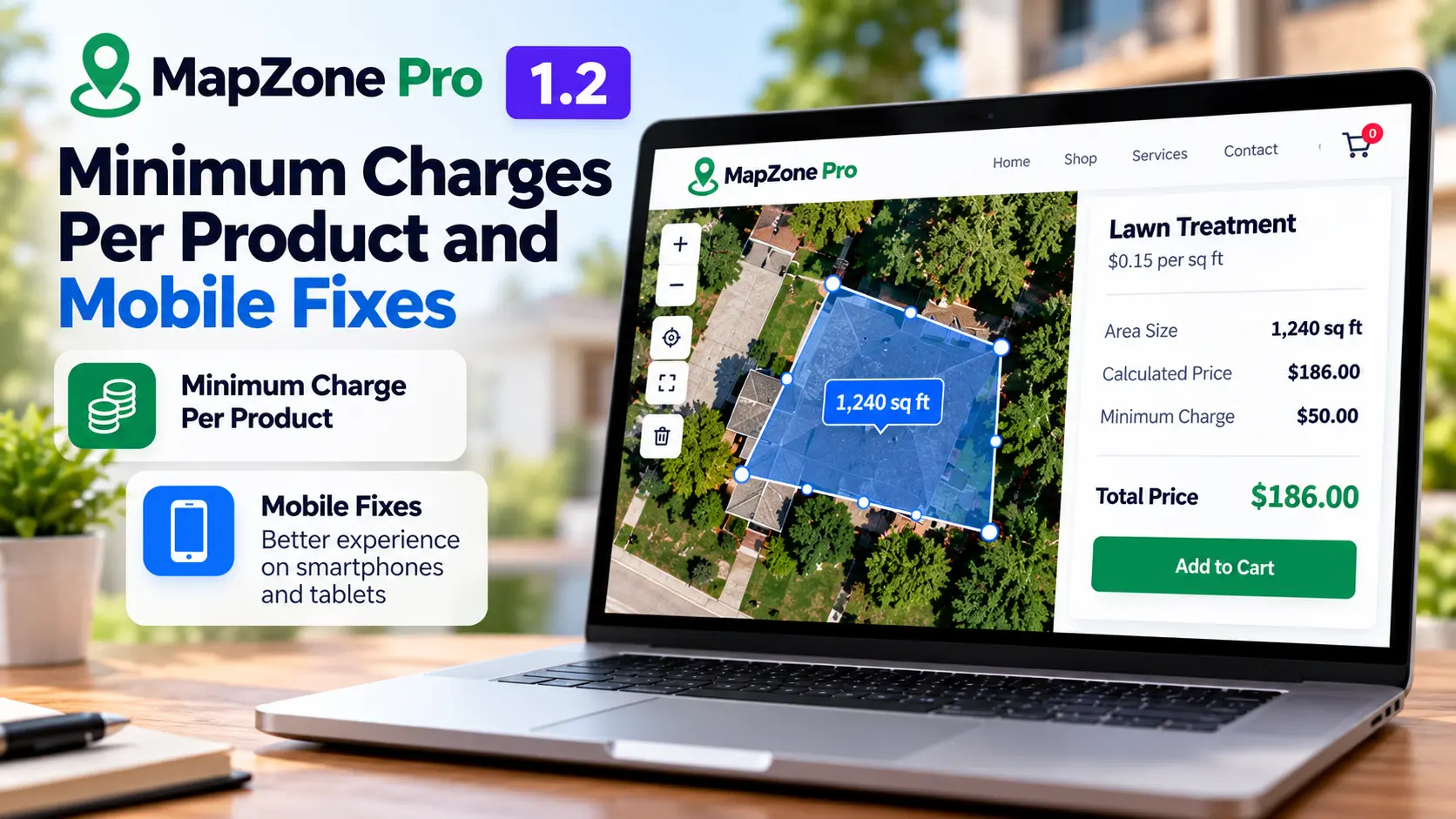
MapZone Pro 1.2 fixes a problem every service business knows: the small job that costs more to do than it pays. A tiny lawn, a short driveway or a one-room clean still means the same drive, the same setup and the same labor as a big job. This release adds a minimum charge per product and mobile fixes for WooCommerce stores that price services from customer-drawn areas.
If you run lawn care, landscaping, roofing, paving or cleaning jobs, here is what changed, why it matters and how to set it up in a few minutes.
Table of Contents

What’s new in MapZone Pro 1.2
Two things stand out in this release:
- Minimum charge, set separately for each product. Every service gets its own floor price instead of one rule for the whole store.
- A better mobile experience. Drawing an area and seeing the live price is smoother on a phone.
The rest of this post covers the minimum charge first, because it is the change that protects your margins.
Why small jobs quietly lose you money
Area pricing works well when the job scales with size. Double the lawn and you double the work, so doubling the price feels fair. Small jobs break that logic. A tiny lawn or a short driveway still costs you travel, setup and labor, and a rate of a few cents per square foot rarely covers them.
A minimum charge fixes this with one simple rule: the customer pays whichever is higher, the calculated price or your minimum. Because MapZone Pro 1.2 sets the minimum per product, a lawn treatment and a driveway clean can each have a floor that matches their own costs.
How the minimum charge works
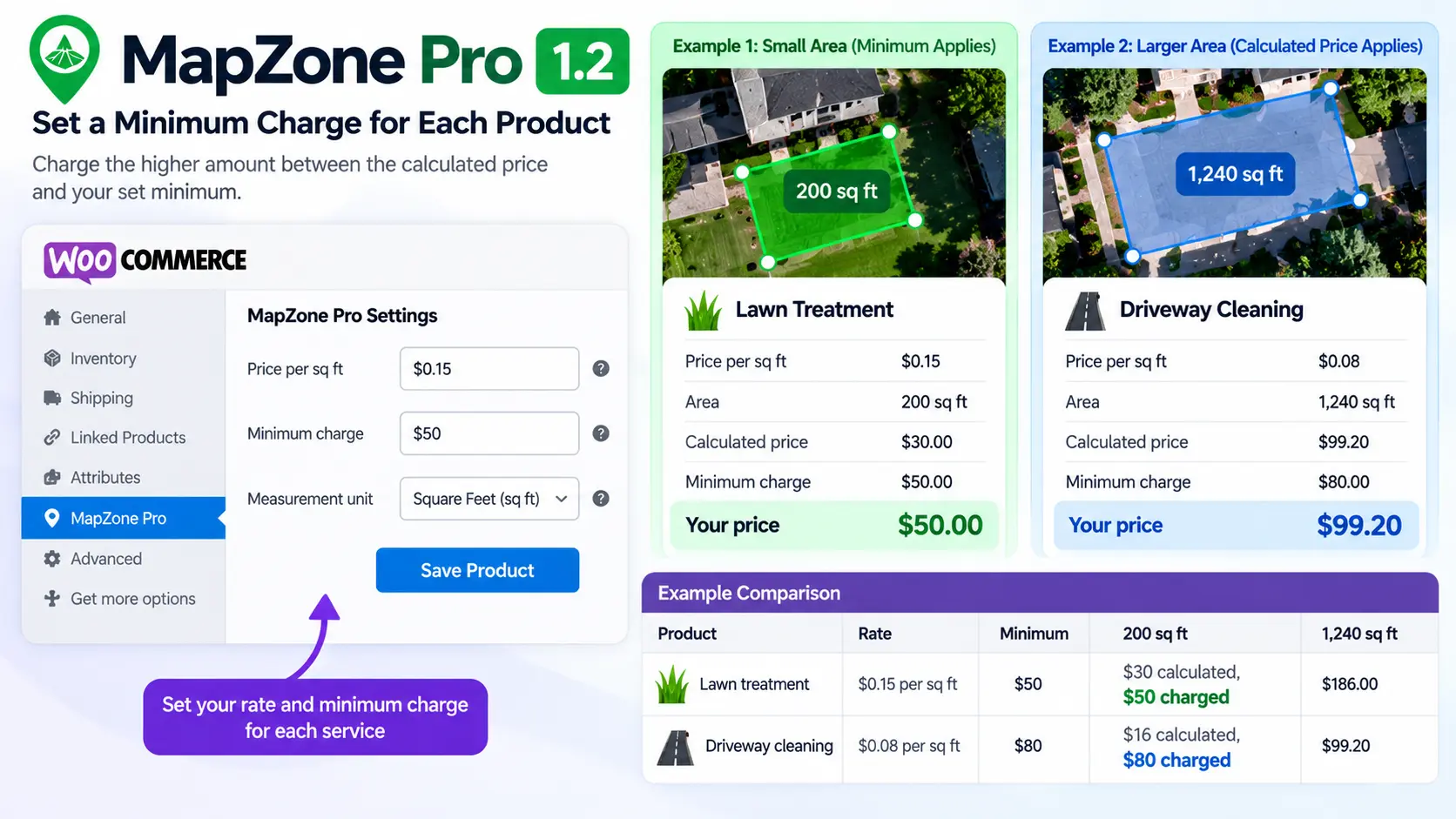
Here is a worked example with two services. These figures are illustrative, not default rates.
| Product | Rate | Minimum | 200 sq ft | 1,240 sq ft |
|---|---|---|---|---|
| Lawn treatment | $0.15 per sq ft | $50 | $30 calculated, $50 charged | $186 |
| Driveway cleaning | $0.08 per sq ft | $80 | $16 calculated, $80 charged | $99.20 |
On the small area, both products fall under their minimum, so the minimum applies. On the larger area, the calculated price is higher, so the customer simply pays the area-based amount. A lawn minimum of $50 and a driveway minimum of $80 can sit side by side in the same store.
How to set up a minimum in MapZone Pro 1.2
- Open the MapZone Pro 1.2 settings in your WordPress dashboard.
- Choose the WooCommerce product you want to price by area.
- Enter your price per square foot and your minimum charge for that product.
- Save, then repeat for your other services.
The drawn area is saved on the WooCommerce order, so you can see the job size when the order arrives.
How to choose the right minimum
Start from the smallest job you would realistically accept and work out what it costs you:
Minimum = (travel time + setup time + minimum on-site time) × your hourly cost + materials, plus the margin you want.
Here is an illustrative lawn example. Thirty minutes of travel, fifteen minutes of setup and thirty minutes on site is 75 minutes, or 1.25 hours. At $25 an hour that is $31.25 in labor, plus about $4 in materials, so $35.25. Add a 30% margin and you land near $46, so a $50 minimum is a sensible round number.
Two habits keep minimums honest. Compare the result with what local competitors charge for a small job, since a minimum far above the market will lose quotes. And review it whenever fuel, wages or material costs change.
Where the minimum stops applying
The minimum only matters for small areas. To see exactly where it stops, divide the minimum by the rate. Above that area, the normal area-based price takes over.
The table uses example rates, not recommended prices, so set yours from your own costs.
| Service | Example rate | Example minimum | Minimum stops applying above |
|---|---|---|---|
| Lawn care and landscaping | $0.12 per sq ft | $40 | about 333 sq ft |
| Cleaning | $0.09 per sq ft | $60 | about 667 sq ft |
| Pressure washing | $0.08 per sq ft | $50 | 625 sq ft |
| Snow removal | $0.05 per sq ft | $30 | 600 sq ft |
| Paving | $3.00 per sq ft | $200 | about 67 sq ft |
| Roofing and solar | $4.50 per sq ft | $500 | about 111 sq ft |
The pattern is worth remembering. High-rate services like paving and roofing reach their minimum at very small areas, while low-rate services like lawn care and snow removal can cover hundreds of square feet before the minimum stops applying. That is why one shared minimum would be wrong for most stores.
Why the mobile experience matters
Many customers will measure their lawn or driveway from a phone, often standing outside. If drawing the area is awkward, they give up before they ever see a price. MapZone Pro’s map drawing is built to work on phones and tablets, and MapZone Pro 1.2 includes fixes to make drawing an area and seeing the live price smoother.
Update and test in five minutes
Before updating a live store, take a backup. Then:
- Update to MapZone Pro 1.2.
- Open a product that uses area pricing and check its price and minimum.
- Draw a small area and confirm the minimum is charged.
- Draw a large area and confirm the normal area-based price appears.
- Repeat on your phone, then run a test order through the cart and checkout.
If your product pages use an Elementor template or custom styling, look at the layout too, since themes and other plugins can change how the map and price sit on the page.
Common mistakes to avoid
- Using one minimum for every service. The point of the MapZone Pro 1.2 update is a separate floor per product, so set each one from that service’s own costs.
- Setting the minimum too high. If a customer draws a small area and sees a price far above what competitors charge, they may leave. Check your numbers against your local market.
- Skipping the checkout test. A correct price on the product page is not enough. Confirm the same amount in the cart and at payment.
- Not explaining the minimum. Add a sentence to the product description, such as “A minimum charge applies to small areas,” so a customer who draws a tiny area is not surprised.
- Leaving minimums unchanged for years. Revisit them when your costs change.
FAQ
Does MapZone Pro 1.2 let each product have its own minimum charge? Yes. You link MapZone Pro to each WooCommerce product and set a rate and minimum for it, so lawn treatment and driveway cleaning can use different floors.
What happens when the customer draws a large area? Once the calculated price is above your minimum, the normal area-based price applies and the minimum has no effect.
Can I see how big the job is when the order arrives? Yes. The exact area the customer drew is saved on the WooCommerce order, so you know the job size without contacting them.
Does it work with my payment gateway? MapZone Pro passes the calculated price to WooCommerce, so checkout and payment use your normal gateway setup. Still run a test order after updating.
Does MapZone Pro 1.2 handle scheduling? No. It handles area-based pricing and payment. To let customers pick a time after they accept a quote, pair it with a scheduling tool, as covered in the booking software guide below.
Related reading
- How to draw delivery zones in WooCommerce if you also need to limit where you work
- Can I migrate my service business to booking software? for scheduling the job after the customer accepts the quote
- Elementor template kits for building the service pages around your quote form
- How to set up WooCommerce pre-orders with deposits if you also sell products ahead of release
Final thoughts
Minimum charges protect the small jobs that are easy to underprice, and the mobile fixes make it easier for customers to get a price on the spot. Update to MapZone Pro 1.2, test one small and one large area, and you’re ready for live orders. Which service in your store would you set a minimum for first?


