
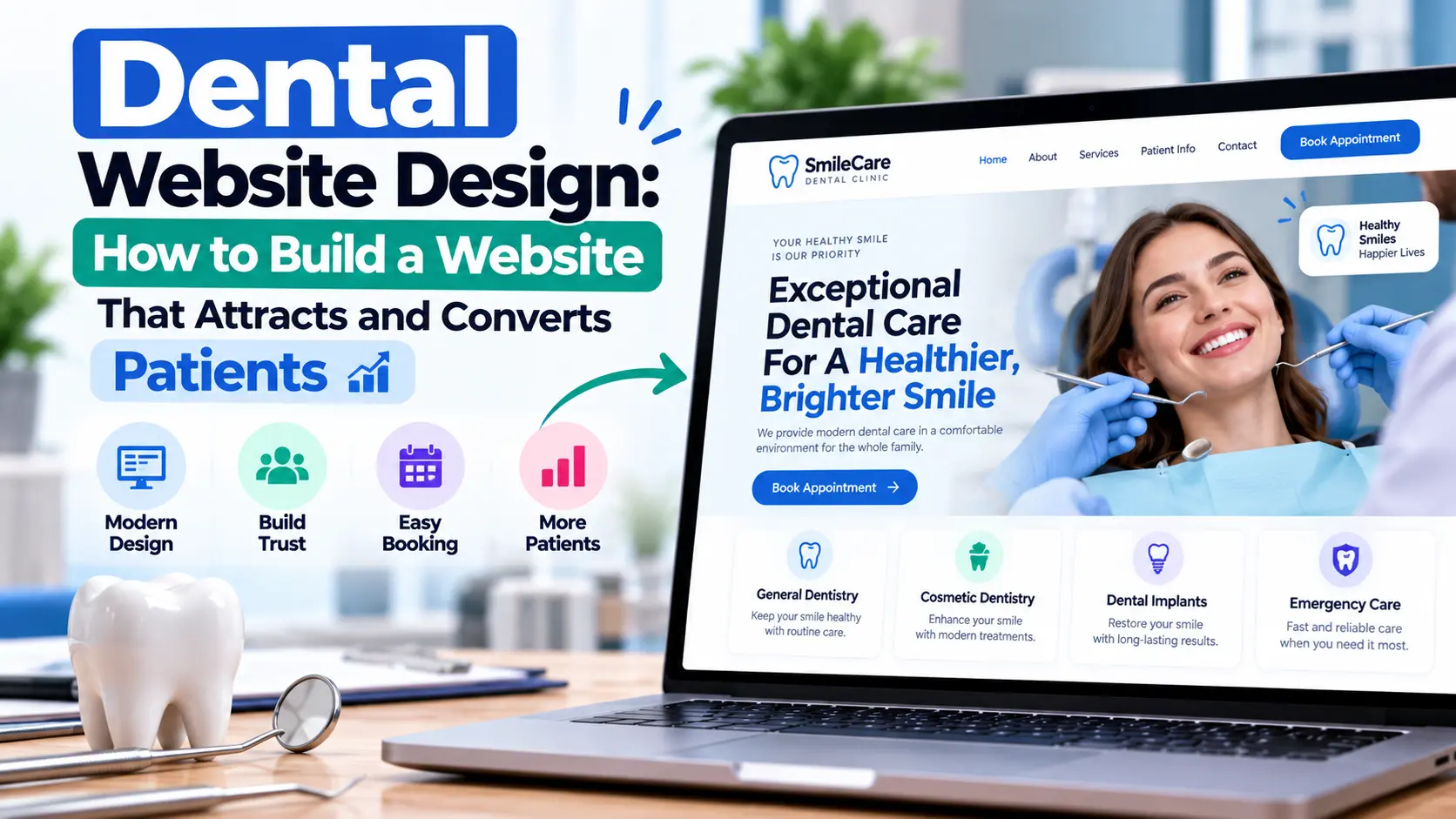

A dental website is often the first place a potential patient goes before calling a practice, reading reviews, or booking an appointment. Good dental website design therefore needs to do more than look attractive. It should explain services clearly, build trust, work well on phones, load quickly, support local search, and make the next step obvious.
The test is simple:
Can a visitor quickly understand who you are, what you offer, where you are, and how to book?
If yes, the website is doing its job. This guide covers how to get there, from homepage structure and service pages to privacy, accessibility, local SEO, cost, and choosing a web designer.
What Is Dental Website Design?
Dental website design is the process of planning, designing, building, and maintaining a website for a dentist, dental clinic, or dental group. It combines:
- Visual design and branding
- Navigation and user experience
- Mobile-responsive layouts
- Service-page content
- Appointment booking and contact options
- Trust elements such as team bios and reviews
- Local SEO
- Accessibility and performance
- Privacy and security
Visitors arrive with very different needs: a routine checkup, an emergency, implants, whitening, braces for a child, or a second opinion. The site should let each of them find the right information in a click or two.
Start With the Patient Journey
Before choosing colors or layouts, decide what patients need. A typical path looks like this:
Search → Website → Service page → Trust information → Appointment request
Different treatments create different journeys:
- Cosmetic: Veneers page → dentist credentials → before-and-after examples → consultation request
- Emergency: Emergency page → phone number → address and hours → call
Someone searching “dental implants in Austin” wants quick answers: Do you offer implants? Who does the treatment? What does it involve? Can I trust you? How do I book a consultation? Design each page to answer the questions its visitor is most likely to have.
The American Dental Association (ADA) recommends building practice websites around prospective and current patients, and including useful information such as services, team biographies, financing details, and office location. See the American Dental Association for its practice-website guidance.
Design a Homepage That Answers the Key Questions
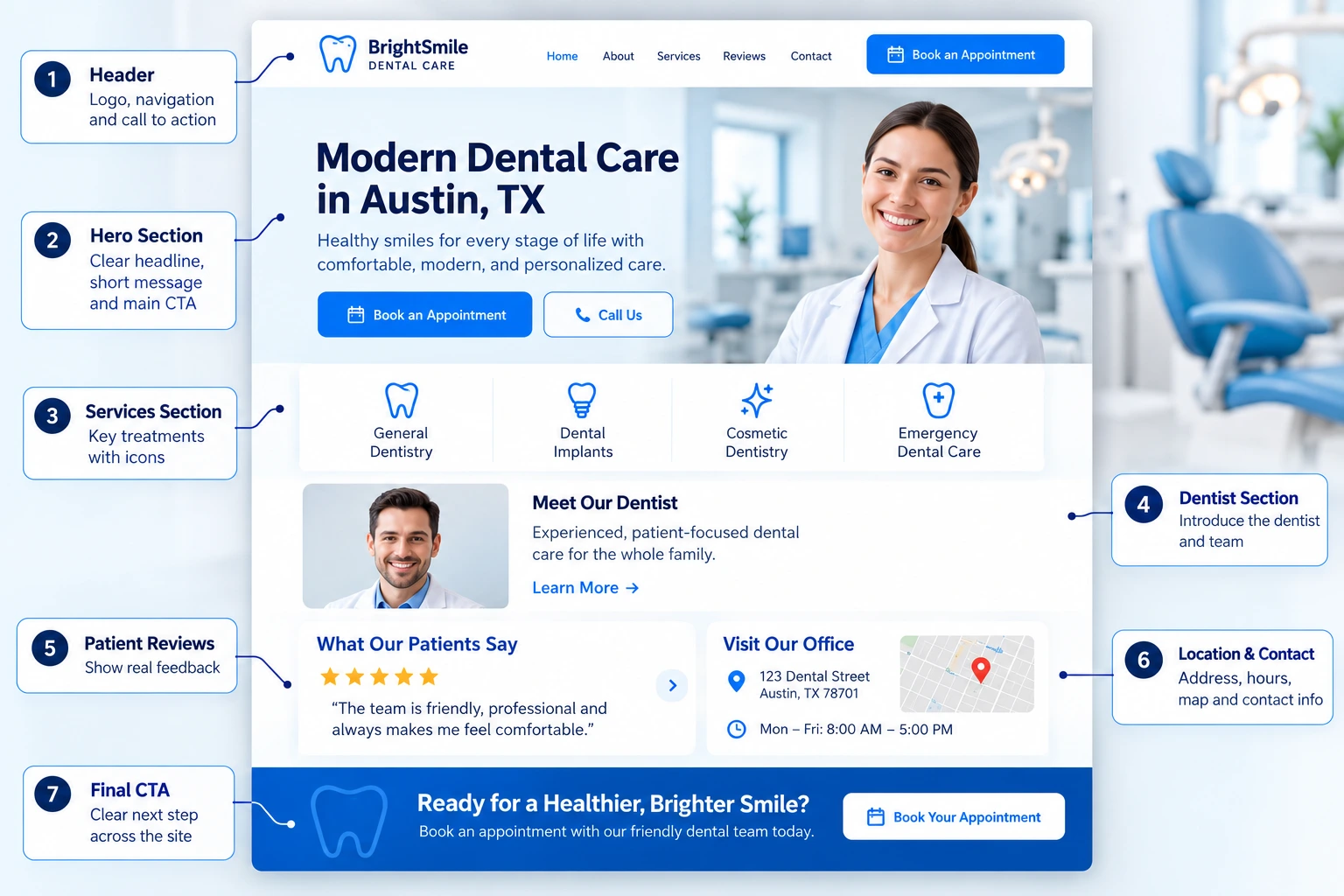
Within a few seconds, a visitor should understand who the practice is, where it is, what it offers, and how to contact it.
--------------------------------------------------
LOGO        Services  About  Reviews  Contact
                         [Book Appointment]
--------------------------------------------------

        Family Dental Care in [City]

     Comfortable, modern dentistry for
        every member of your family.

     [Book an Appointment]   [Call Us]

--------------------------------------------------
 Services: General | Cosmetic | Implants | Emergency
--------------------------------------------------
 Meet Your Dentist (photo + short bio)
--------------------------------------------------
 Patient Reviews
--------------------------------------------------
 Location | Hours | Phone | Map
--------------------------------------------------
 Final CTA: [Book Your Appointment]
--------------------------------------------------
This is an illustrative wireframe, not a required template. Adapt it to your services and audience.
Write a headline that says something
Avoid vague lines like “Transforming Smiles Through Excellence.” Say what you do and where:
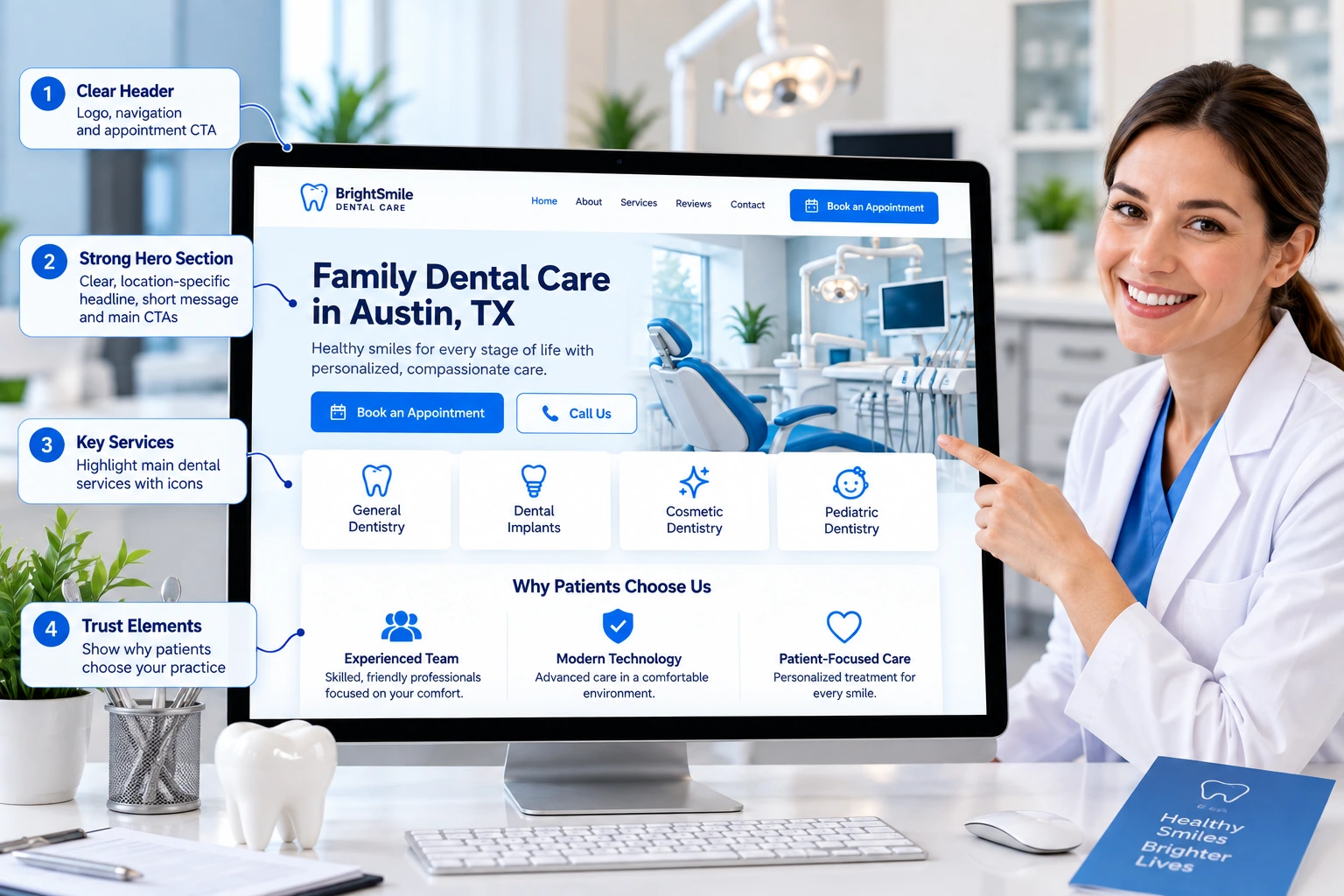
Family Dental Care in Austin, TX
Follow it with one primary action (Book an Appointment) and one secondary action (Call the Office).
Give Important Services Their Own Pages
Don’t bury every treatment on a single “Services” page. Treatments that matter to patients deserve dedicated pages, for example /dental-implants/, /emergency-dentist/, and /teeth-whitening/.
A good service page includes:
- A plain-language introduction to the treatment and who it may suit
- What the process involves, step by step
- Benefits, without unsupported promises
- Who provides the treatment
- Answers to common questions (duration, aftercare, financing)
- Real photography where possible
- One clear next step, such as “Request an Implant Consultation”
Dedicated pages serve patients better and also give search engines a clearer picture of what the practice offers.
Build Trust With the Dentist and Team
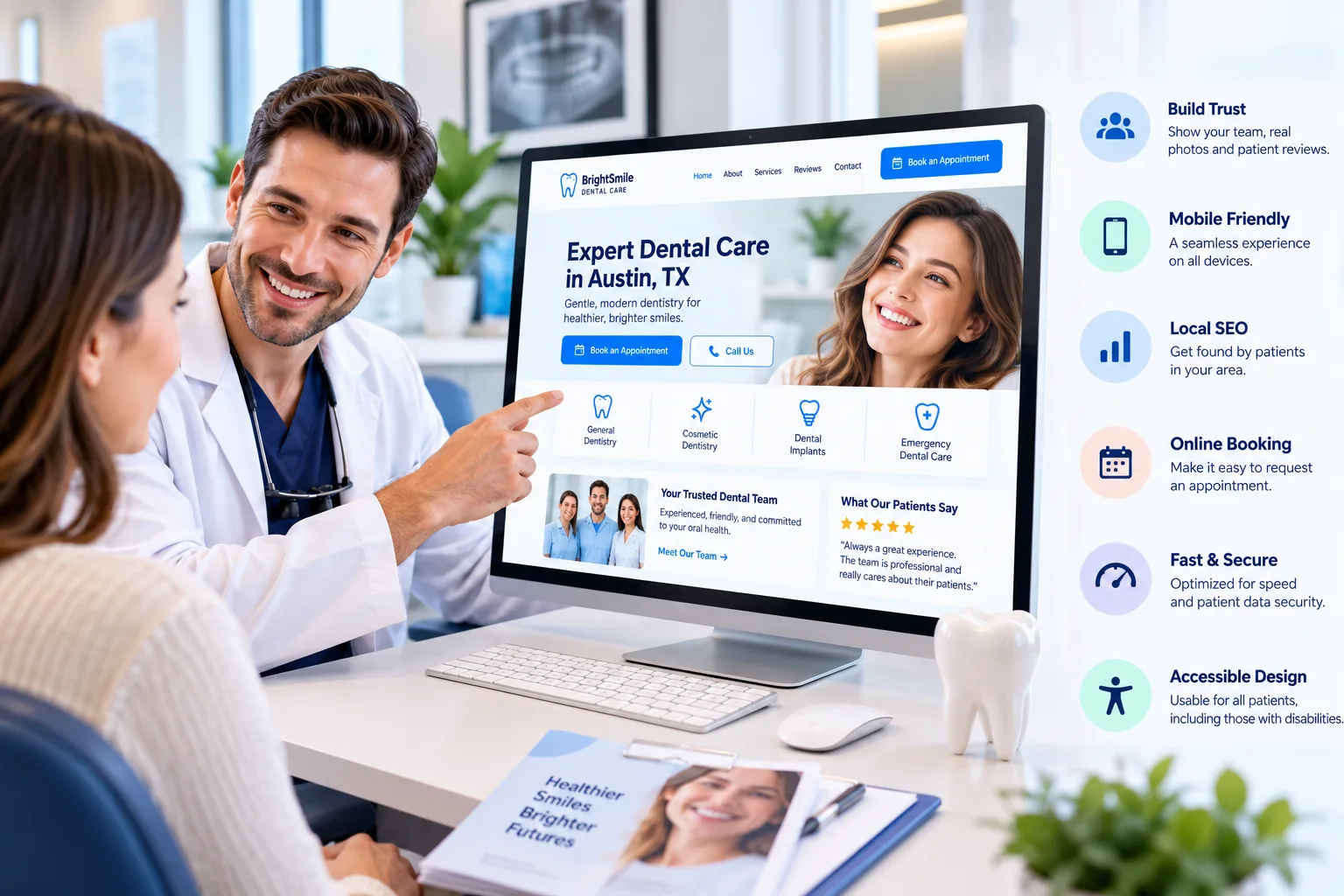
Patients are choosing people, not a logo. A dentist profile can include a professional photo, qualifications, areas of focus, memberships, and a short personal introduction about their approach to care. Keep it patient-friendly rather than résumé-style, and consider a separate “Meet the Team” page for staff.
Use real photography of the dentist, team, reception, and treatment rooms. It shows patients what to expect before they arrive. A few stock images are fine, but a site made entirely of generic stock photos feels disconnected from the practice.
Make Booking and Contact Effortless
Put a Book an Appointment or Request an Appointment button in the header, on the homepage, on service pages, and in the mobile menu. Offer a click-to-call number, and on mobile consider a persistent Call or Book button.
Keep forms short. Ask only for what you need at that stage, and make sure someone monitors incoming requests and responds promptly.
Privacy and HIPAA Considerations (U.S. Practices)
Privacy belongs in the planning stage, not the final checklist.
HIPAA applies to covered entities, which include health care providers such as dentists who conduct certain transactions electronically. It protects individually identifiable health information, known as protected health information (PHI). The U.S. Department of Health and Human Services (HHS) explains who is covered on its covered entities page and summarizes the Privacy Rule.
This matters whenever your site handles:
- Appointment requests that include health details
- Online intake and medical-history forms
- Patient portals or messaging
- Insurance information
- Analytics, chat, or tracking tools that could capture identifiable patient data
Practical points:
- Review the whole workflow. Where does a form submission go, who can access it, and which vendors touch it?
- Check vendor agreements. If a vendor handles PHI on your behalf, you may need a business associate agreement.
- Don’t accept “HIPAA compliant” as a badge. An SSL certificate or a single plugin doesn’t make a system compliant. Compliance depends on the full system, policies, vendors, and processes.
- Post required notices. HHS says most covered entities must make their Notice of Privacy Practices available on their website if they have one.
- Get professional review from a qualified legal or compliance advisor when in doubt.
Practices outside the U.S.
HIPAA is a U.S. law. Practices elsewhere should look at the privacy and healthcare-advertising rules of their own jurisdiction, such as GDPR where it applies and national or regional dental council regulations.
Handle Reviews, Testimonials, and Before-and-After Photos Carefully
Reviews are powerful trust signals, but they carry legal and ethical responsibilities.
- Get written authorization before publishing patient photos, radiographs, names, or testimonials. The ADA advises practices on patient privacy and consent in its online-review and marketing guidance.
- Don’t imply guaranteed results. In the U.S., the Federal Trade Commission requires advertising claims to be truthful and substantiated, and its endorsements and reviews guidance covers testimonials. A single glowing testimonial can’t be used to suggest typical results you can’t support.
- Never invent or edit reviews in ways that change their meaning.
For before-and-after galleries, ask yourself:
- Do we have written permission?
- Are the results accurately and typically representative?
- Is relevant context (treatment length, limitations) clear?
- Do local professional or advertising rules add requirements?
Avoid claims like “We guarantee perfect results for every patient.”
Accessibility
Accessibility makes your site usable by more patients, including people with visual, motor, hearing, or cognitive disabilities. The Web Content Accessibility Guidelines (WCAG) 2.2 from the W3C are the standard technical reference.
Practical steps:
- Meaningful alt text for informative images
- A logical heading structure
- Sufficient text contrast
- Full keyboard navigation and visible focus states
- Descriptive link text (not “click here”)
- Labeled, clearly explained forms
- Captions or transcripts for video
- Minimal unnecessary motion
Two different “ADAs.” The American Dental Association is a professional organization. The Americans with Disabilities Act is a U.S. civil-rights law. When people discuss website accessibility lawsuits, they mean the second. WCAG is a technical standard, and following it is good practice, but it isn’t automatically the same as legal compliance, which varies by jurisdiction.
Make the Website Mobile-Friendly
Many patients search for a dentist from a phone, especially for urgent or local needs. Design for small screens from the start rather than shrinking the desktop layout.
Check that:
- Text is readable without zooming
- Buttons are large and well spaced
- Phone numbers are tap-to-call
- Forms are short and easy to complete
- There is no horizontal scrolling
- Maps and sticky elements don’t get in the way
Test on real devices, not just a resized browser window.
Keep the Site Fast
Heavy images, video backgrounds, excess plugins, and third-party scripts slow pages down. Google’s Core Web Vitals measure three things:
- LCP (Largest Contentful Paint): loading performance
- INP (Interaction to Next Paint): responsiveness
- CLS (Cumulative Layout Shift): visual stability
You can measure them with PageSpeed Insights, Search Console, and Chrome DevTools. Practical fixes include compressing images, using modern formats, lazy-loading images below the fold, cutting unused scripts, enabling caching, and trimming plugins. Google’s page experience guidance stresses that good page experience is broader than any single score, and strong scores don’t guarantee top rankings. Aim for a site that is genuinely fast and usable.
Local SEO and Google Business Profile
Dentistry is location-driven. Patients search for “dentist near me,” “emergency dentist in [city],” or “dental implants in [city].” Make these details clear and consistent everywhere:
- Practice name, address, and phone number
- Opening hours and service area
- Parking and directions
- A map on the contact or location page
Google Business Profile
Your Google Business Profile is a key part of local visibility. Google says local results are based mainly on relevance, distance, and prominence, and that complete, accurate profile information helps. Keep your name, address, phone number, hours, category, photos, and website URL up to date, and make sure they match your website exactly.
Structured data
Google supports LocalBusiness structured data for communicating details like address, hours, and phone number. Use it accurately and only for information visible on the page. Google notes that valid markup doesn’t guarantee any enhanced search feature will appear.
Create Content Around Real Patient Questions
A dental blog should answer questions patients actually ask, not just publish keyword variations. Examples:
- General: How often should I see a dentist? What happens at a checkup?
- Implants: How do implants work? How long does treatment take? What is recovery like?
- Cosmetic: How does professional whitening work? What are veneers?
- Emergency: What should I do if I break a tooth? When is a toothache an emergency?
Provide general information and avoid implying you can diagnose individuals through an article.
Build topic clusters
Connect related content to a main service page with internal links:
Dental Implants (service page)
│
├── What Are Dental Implants?
├── Dental Implant Procedure
├── Dental Implant Recovery
├── Implants vs Dentures
└── How Long Do Implants Last?
This helps visitors find related information and gives search engines clearer context.
Use Calls to Action That Match Intent
Each page needs one clear next step:
| Page | Example CTA |
|---|---|
| Homepage | Book an Appointment |
| Implant page | Request an Implant Consultation |
| Emergency page | Call Our Office Now |
| About page | Meet Our Team |
| Location page | Get Directions |
Use one primary action and, at most, one relevant secondary action per section. Five competing buttons confuse visitors.
Match the Design to the Practice
There is no single dental style:
- Family practice: warm, friendly, comfortable, with clear information for all ages
- Pediatric: brighter, more playful, reassuring to parents
- Cosmetic: polished, photography-led, with galleries and consultation-focused CTAs
- Emergency: phone number, hours, and directions up front
- Specialist: credentials, technology, and detailed treatment education
Let the design reflect your patients, services, location, and brand.
WordPress and Elementor
WordPress is a practical platform for dental sites because it handles service pages, blogging, forms, SEO tools, and booking integrations, and it can grow over time. Elementor adds visual layout control. A typical setup includes a lightweight theme, an SEO plugin, a form or booking tool, caching, backups, and security.
The rule is that every plugin needs a purpose and must be maintained. Fewer, well-chosen tools mean a faster, safer site. A simple, quick WordPress site beats a heavily animated one that’s hard to use.
How Much Does Dental Website Design Cost?
There’s no standard price. Cost depends on the number of pages, custom vs. template design, copywriting, photography, booking and forms, integrations, SEO, accessibility work, and ongoing maintenance.
For rough planning only, U.S. project ranges commonly fall around:
| Website type | Broad planning range |
|---|---|
| Basic/template site | $1,000–$3,000 |
| Professional custom site | $3,000–$8,000 |
| Advanced custom site (booking, integrations) | $8,000–$20,000+ |
| Ongoing SEO and maintenance | $300–$2,000+/month |
These are editorial planning estimates, not official averages or a survey of specific vendors. Real quotes vary widely by location, agency, scope, and technology. Compare what is included, not just the headline price, and remember that healthcare-specific needs like privacy review can make a cheap quote not comparable to a thorough one.
How to Choose a Dental Website Designer or Agency
The ADA suggests considering a developer’s experience, healthcare familiarity, and awareness of issues like HIPAA. Before signing, ask:
Experience
- Have you built dental or healthcare sites? Can I see live examples, including on mobile?
- Who will actually work on my project?
Ownership (a common source of disputes)
Get in writing who owns and controls:
- The domain name
- Hosting and admin access
- Website files and source code
- Written content and images (including licensed stock)
- Third-party accounts, plugins, and licenses
- What happens if you leave: can you take the site with you?
Scope
- Is the design custom or template-based? How many revision rounds?
- Who writes the copy? Are service pages included?
- Is mobile design included?
SEO
- Is it basic setup or ongoing work? Is local SEO and Google Business Profile support included?
Forms, booking, and privacy
- Where do form submissions go? Which third-party services are involved?
- How do you handle PHI and vendor agreements?
Support
- What is included after launch: updates, backups, security, and content changes?
- Is SEO billed separately?
Also ask them to explain recommendations plainly. “It’s better for SEO” isn’t an explanation.
An Illustrative Redesign Example
This is a hypothetical example, not a real client case.
Before
Headline: “Creating Beautiful Smiles”
- No city mentioned
- Services hard to find
- Phone number buried in the footer
- Unclear appointment button
- Huge generic hero image
- Dentist not introduced until far down the page
- Reviews hard to find
- Mobile menu needs several taps to reach booking
After
Headline: “Comprehensive Dental Care in [City]”
Supporting text: “General, cosmetic, and restorative dentistry for patients and families in [Location].”
Primary CTA: Book an Appointment. Secondary CTA: Call the Practice.
Below it: key services, dentist introduction, real practice photos, reviews, location and hours, and a final booking CTA. On mobile, a sticky Call button.
The redesign doesn’t add much content. It makes existing information easier to find and act on.
Dental Website Launch Checklist
Design and content
- Logo, colors, and typography are consistent
- Homepage message and navigation are clear
- Key services have dedicated pages
- Dentist and team profiles are complete
- Contact details, hours, and location are accurate
Conversion
- Appointment CTA visible on every key page
- Phone number is easy to find and tappable
- Forms, booking, and confirmation messages work
SEO
- Page titles, meta descriptions, and headings are set
- Alt text and internal links are in place
- XML sitemap and Search Console configured
- Google Business Profile matches the website
- Structured data considered and accurate
Performance and technical
- Images optimized, unused scripts removed, caching on
- Core Web Vitals checked on mobile
- HTTPS working, backups configured, plugins updated
- Broken links fixed
Accessibility
- Alt text, heading order, and contrast reviewed
- Keyboard navigation and form labels tested
Privacy and compliance
- Privacy policy and any required notices published
- Forms, booking tools, analytics, and vendors reviewed for patient-data handling
- Written authorization on file for photos and testimonials
- Ownership of domain, hosting, and accounts documented
Common Dental Website Mistakes
- Designing for the dentist, not the patient. Answer patient questions before showcasing technology.
- Making the homepage too artistic. If visitors can’t tell what you offer, the design has failed.
- Hiding the phone number. Urgent patients won’t hunt for it.
- Relying on generic stock photos. Real photography builds familiarity.
- One page for all services, or dozens of thin near-duplicate pages. Aim for one useful page per real patient need.
- Ignoring mobile. Test on phones early.
- Overloading with plugins and animation. Every addition should earn its place.
- Making unsupported health claims. Keep marketing truthful and substantiated.
- Collecting patient information without reviewing the workflow. Forms and third-party tools need scrutiny.
- Treating accessibility and SEO as afterthoughts. Plan them from the start.
Dental Website Design vs. Dental SEO
They overlap but aren’t the same. Design covers layout, branding, navigation, usability, and calls to action. SEO covers search visibility, keyword targeting, technical optimization, local signals, and structured data. A beautiful site with poor visibility struggles to attract visitors, and a well-optimized but confusing site struggles to convert them. Plan both together.
FAQ
What should a dental website include?
A homepage, service pages, dentist and team information, contact details, location, appointment options, reviews where appropriate, and useful patient content.
How many pages does a dental website need?
There’s no fixed number. A small practice may need a handful, a larger one many more. Each page should have a clear purpose.
Should a dental website have online booking?
If it suits your workflow, yes. If booking collects health or personal information, make sure the system meets applicable privacy and security requirements.
Does design affect SEO?
Indirectly. Navigation, mobile usability, speed, content structure, and accessibility all shape the experience, but design alone doesn’t guarantee rankings.
Should every service have its own page?
Not every minor service, but important treatments usually benefit from dedicated, genuinely useful pages.
Is WordPress good for dental websites?
Yes, for many practices. Quality of implementation matters more than the platform itself.
Is HIPAA compliance needed for every dental website?
It depends on whether the site collects, stores, or transmits PHI and whether the practice is a covered entity. Review your specific setup with a qualified professional.
Can I show before-and-after photos?
Often yes, with written patient authorization and accurate, non-misleading presentation that follows applicable advertising and professional rules.
Final Thoughts
A great dental website helps a visitor answer five questions quickly:
- What does this practice do?
- Where is it?
- Who will treat me?
- Can I trust it?
- How do I take the next step?
Everything else, including mobile design, speed, accessibility, privacy, local SEO, and content, supports that journey. Don’t chase every feature. Build around what your practice and patients actually need, and keep it fast, clear, accessible, and easy to maintain.


